Businesses collect enormous amounts of customer information every day. Every inquiry, purchase, email, support request, website interaction, and sales conversation can create valuable data. However, collecting information is only the beginning. The real advantage comes from understanding that information and using it to make better decisions.
This is where CRM analytics becomes important.
CRM analytics refers to the process of analyzing customer and business data stored within a Customer Relationship Management system. Instead of relying entirely on assumptions or intuition, businesses can use CRM data to identify trends, measure performance, understand customers, and discover opportunities.
For businesses of all sizes, effective CRM analytics can turn scattered customer information into useful business insights.
What Is CRM Analytics?
CRM analytics is the use of data analysis, reports, dashboards, and other analytical tools to understand information collected through a CRM system.
A CRM platform may contain data about:
- Customers
- Leads
- Sales opportunities
- Purchases
- Customer interactions
- Marketing campaigns
- Support requests
- Sales representatives
- Conversion rates
- Customer retention
CRM analytics brings this information together and helps businesses identify patterns.
For example, a company may discover that customers who receive a follow-up within 24 hours are more likely to become paying customers. This insight could encourage the company to improve its follow-up process.
In this way, CRM analytics transforms raw data into actionable information.
Why CRM Analytics Matters
Businesses often make decisions based on experience. Experience is valuable, but data can provide another layer of understanding.
Suppose a sales manager believes that one product is the company’s strongest performer. After reviewing CRM analytics, the manager may discover that another product actually generates more repeat purchases and higher customer lifetime value.
Without data, this opportunity could remain hidden.
CRM analytics can help answer questions such as:
- Which products generate the most revenue?
- Which leads are most likely to convert?
- Which marketing campaigns perform best?
- How long does the average sales process take?
- Which customers are most valuable?
- Where are prospects leaving the sales funnel?
- Which sales representatives need additional support?
- How many customers return for another purchase?
The answers can support more informed decisions.
Understanding the Sales Pipeline
One of the most useful applications of CRM analytics is sales pipeline analysis.
A sales pipeline represents the different stages a potential customer moves through before making a purchase.
A typical pipeline might include:
New Lead → Qualified Lead → Proposal → Negotiation → Closed Deal
CRM analytics can show how many prospects are at each stage.
If hundreds of leads enter the pipeline but only a small percentage reach the proposal stage, the company may need to improve lead qualification.
If many prospects reach the proposal stage but few complete purchases, pricing, product positioning, or sales communication may need attention.
Pipeline analytics therefore helps businesses understand not only how many leads they have, but also what is happening to those leads.
Measuring Lead Conversion Rates
Lead conversion rate is another important CRM metric.
It measures how effectively a business turns prospects into customers.
For example, if a company receives 1,000 leads and 100 become customers, its conversion rate is 10%.
However, businesses can analyze conversion rates in greater detail.
They may compare conversion rates by:
- Marketing channel
- Product
- Salesperson
- Location
- Customer type
- Campaign
- Industry
- Lead source
This can reveal which areas are producing the strongest results.
If leads from one marketing channel consistently convert at a higher rate, the company may decide to allocate more resources to that channel.
Customer Lifetime Value
A single purchase does not always tell the full story about a customer.
Some customers make one purchase and never return. Others continue purchasing from a business for years.
Customer Lifetime Value, often abbreviated as CLV or LTV, attempts to estimate the total value a customer may generate throughout their relationship with a company.
CRM data can help businesses understand purchasing frequency, average order values, renewals, and repeat purchases.
This information can change how businesses think about customer acquisition.
Instead of asking only, “How much did this customer spend today?” a business can ask, “How valuable could this relationship become over time?”
Identifying Customer Retention Trends
Acquiring new customers can require significant effort. Retaining existing customers can therefore be an important business priority.
CRM analytics can help identify retention patterns.
Businesses can analyze:
- Repeat purchases
- Subscription renewals
- Customer complaints
- Support interactions
- Engagement levels
- Churn rates
- Account activity
For example, a company might discover that customers who stop using a product for several weeks are more likely to cancel their subscriptions.
The business could then create an automated engagement campaign or have a customer success representative contact those customers.
The goal is not simply to collect data but to use it to identify potential problems early.
Improving Customer Segmentation
Not every customer has the same needs.
CRM analytics can help businesses divide customers into meaningful groups.
A company might segment customers according to:
- Purchase history
- Industry
- Location
- Spending level
- Product interest
- Engagement
- Customer lifecycle stage
Segmentation allows businesses to create more relevant communication.
For example, a software company could have separate customer groups for free users, new subscribers, long-term customers, and high-value business accounts.
Each group can receive communication appropriate to its needs.
Evaluating Marketing Campaigns
Marketing teams need to understand whether campaigns are producing meaningful results.
CRM analytics can connect marketing activities with customer outcomes.
Instead of measuring only clicks or impressions, businesses can examine whether campaigns generate qualified leads and actual customers.
A campaign might attract thousands of website visitors but produce very few sales.
Another campaign may attract fewer visitors but generate highly qualified leads.
CRM analytics can help businesses recognize this difference.
This can lead to better marketing decisions and more efficient use of budgets.
Sales Representative Performance
CRM analytics can also provide insights into sales team performance.
Managers can review metrics such as:
- Number of leads handled
- Follow-up activity
- Conversion rates
- Deals closed
- Sales revenue
- Average deal size
- Sales cycle length
The purpose should not simply be to rank employees.
Analytics can also identify areas where sales representatives may need additional training or support.
For example, if a salesperson generates many leads but has a low conversion rate, the manager might provide coaching on qualification, product demonstrations, or negotiation.
Forecasting Future Sales
Sales forecasting involves estimating future revenue based on current opportunities and historical information.
CRM analytics can support forecasting by analyzing existing pipeline data.
For example, a business may review:
- Open opportunities
- Historical conversion rates
- Average deal values
- Sales cycle duration
- Current pipeline volume
These factors can help managers estimate potential future revenue.
Forecasting will never be perfectly accurate because markets and customer behavior can change. However, data-based forecasts can provide a stronger foundation than simple guesswork.
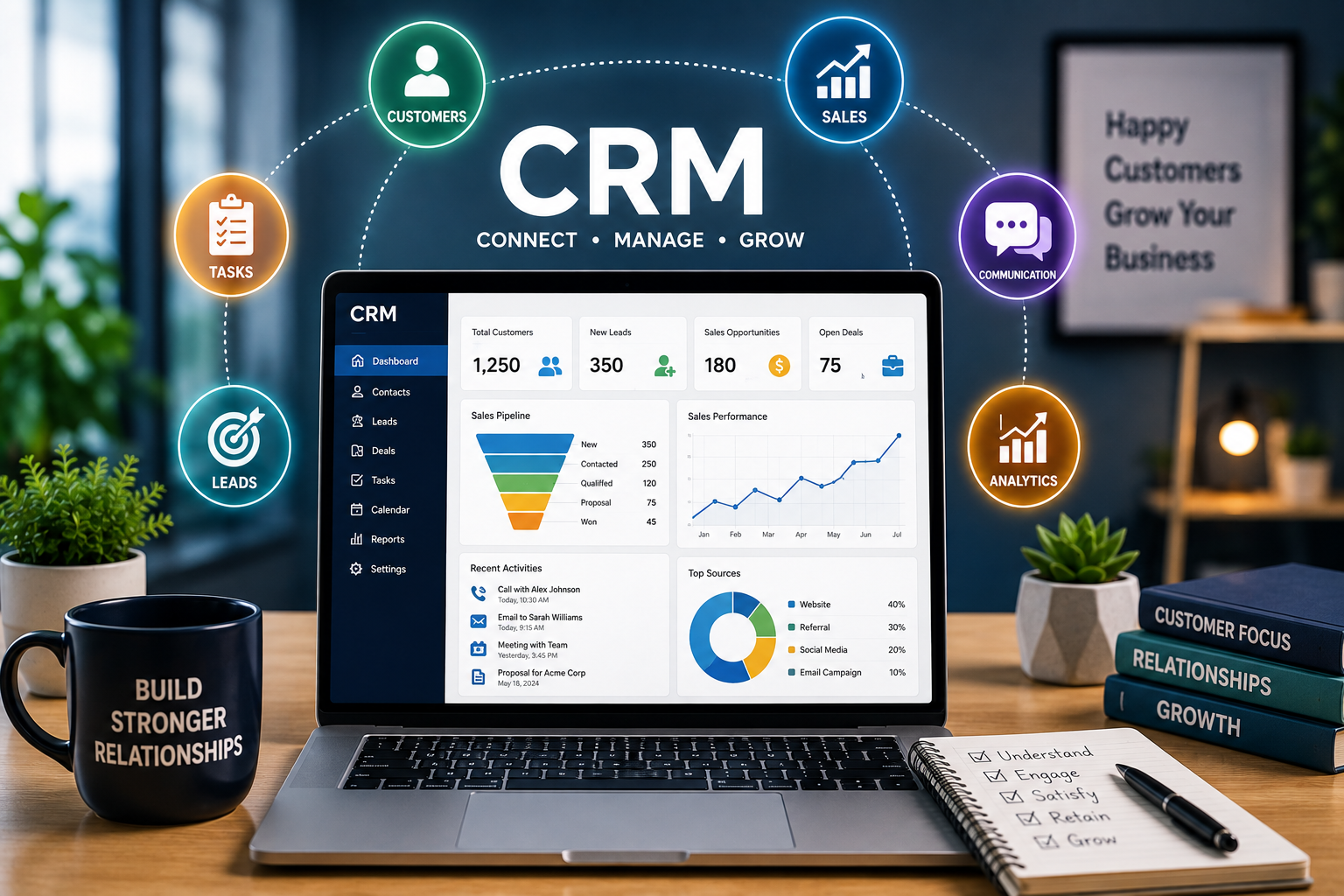
CRM Dashboards
Dashboards make CRM analytics easier to understand.
Instead of reviewing large spreadsheets, managers can view important information through charts, graphs, tables, and performance indicators.
A sales dashboard might display:
Total Revenue | Open Deals | Conversion Rate | New Leads | Sales Forecast
A customer service dashboard might show:
Open Tickets | Average Response Time | Resolved Tickets | Customer Satisfaction
Different departments can therefore create dashboards around their specific objectives.
Using CRM Analytics for Customer Service
CRM analytics isn’t limited to sales and marketing.
Customer service departments can analyze support data to identify recurring problems.
For example, if a large number of customers contact support about the same product feature, the company may need to improve documentation or modify the product.
Businesses can also monitor response times and resolution rates.
If customer complaints increase after response times become longer, managers may need to adjust staffing or improve support processes.
Analytics can therefore help organizations move from reactive support toward proactive improvement.
The Role of Artificial Intelligence in CRM Analytics
Artificial intelligence is expanding the capabilities of CRM analytics.
AI-powered systems can analyze large amounts of information and identify patterns that may be difficult to spot manually.
Depending on the CRM platform, AI may assist with:
- Lead scoring
- Sales forecasting
- Customer segmentation
- Conversation summaries
- Sentiment analysis
- Churn prediction
- Recommended next actions
- Automated reporting
For example, AI may identify customers whose behavior suggests that they are becoming less engaged.
A company could then investigate those accounts and determine whether intervention is appropriate.
AI should be treated as a decision-support tool rather than an unquestionable source of truth. Businesses still need appropriate human review, particularly when decisions could significantly affect customers.
Data Quality Is Essential
CRM analytics is only as reliable as the information being analyzed.
Duplicate contacts, missing information, outdated records, incorrect entries, and inconsistent data can produce misleading results.
Businesses should therefore establish processes for maintaining CRM data quality.
This may include:
- Removing duplicate records
- Updating outdated customer information
- Standardizing data fields
- Defining required information
- Limiting unnecessary data collection
- Reviewing records regularly
Good data management creates a stronger foundation for analytics.
Protecting Customer Data
CRM systems often contain sensitive business and customer information.
Businesses should implement appropriate security practices, including access controls, strong authentication, employee permissions, secure integrations, and appropriate data-retention practices.
Employees should only have access to the information they need for their responsibilities.
Companies should also understand the privacy and data-protection requirements applicable to their customers and markets.
Analytics should improve decision-making without compromising customer trust.
Common CRM Analytics Mistakes
Businesses can make several mistakes when using CRM analytics.
One common mistake is tracking too many metrics.
A dashboard filled with dozens of numbers may look impressive but can make it difficult to identify what actually matters.
Another mistake is focusing on activity instead of outcomes.
For example, a sales team may celebrate the number of calls made without considering whether those calls generate qualified opportunities.
The most useful metrics are connected to business objectives.
Companies should therefore choose a manageable set of key performance indicators and review them consistently.
How to Start With CRM Analytics
Businesses don’t need an advanced analytics department to get started.
A simple approach can involve five steps:
1. Define the goal
Decide what you want to improve.
2. Identify the relevant data
Determine which CRM information can help answer the question.
3. Create useful metrics
Choose measurements that directly relate to the goal.
4. Build a simple dashboard
Present the information in an easy-to-understand format.
5. Take action
Use the findings to change a process, strategy, or customer experience.
Analytics becomes valuable when it leads to action.
Final Thoughts
CRM analytics can help businesses understand what is happening across their customer relationships, sales pipelines, marketing campaigns, and support operations.
Instead of treating CRM as simply a database of contacts, companies can use it as a source of business intelligence.
By analyzing conversion rates, customer lifetime value, retention, sales performance, marketing results, and customer behavior, organizations can make more informed decisions.
The most important principle is simple: collect useful data, understand what it means, and use it to take better action.
As CRM platforms become more intelligent, analytics will continue to play an important role in helping businesses understand customers and build stronger, more sustainable relationships.