
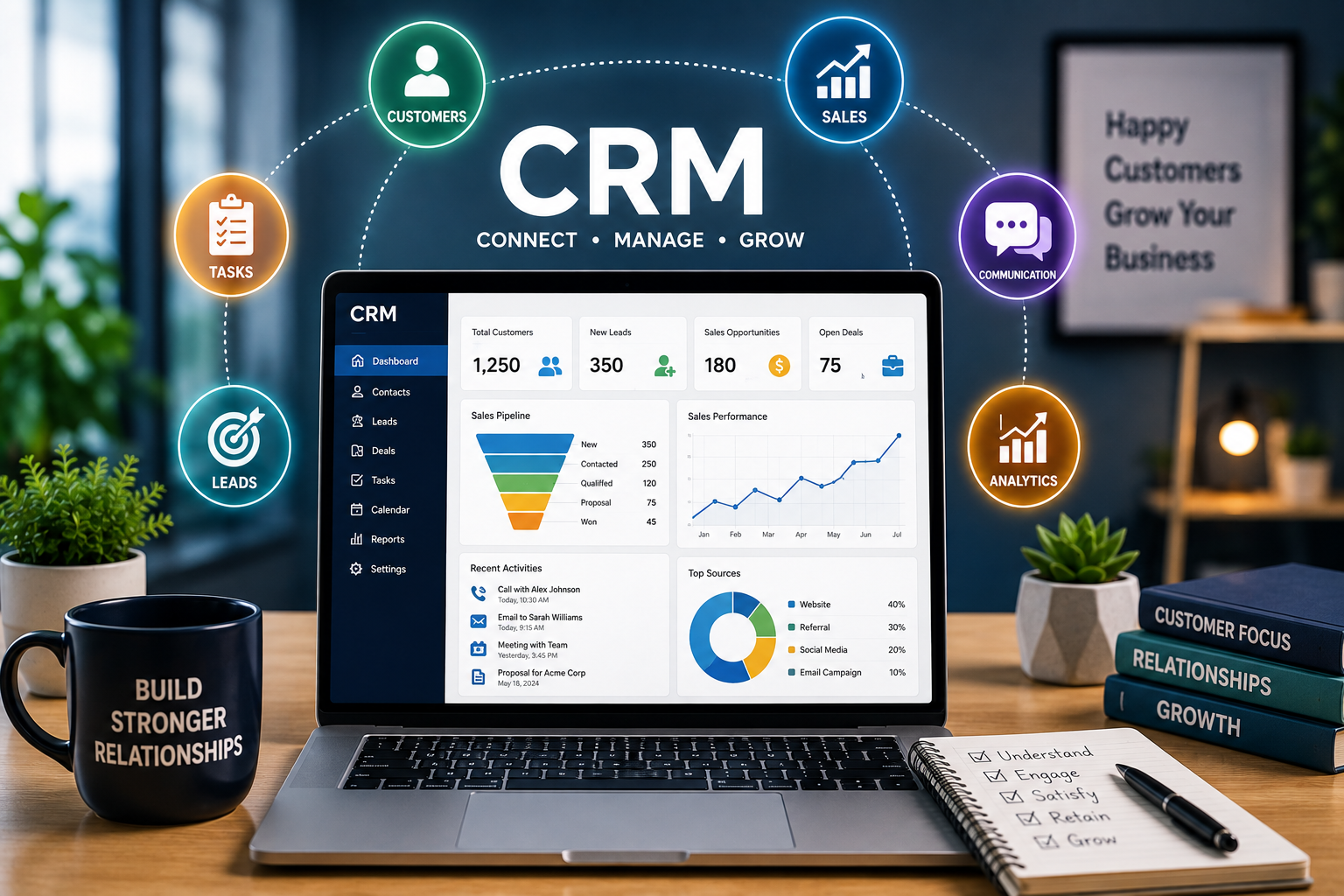
Running a business is about more than selling products or services. It is also about understanding customers, remembering important conversations, following up at the right time, and building relationships that last.
As businesses grow, managing all of this information manually can become difficult. Customer names, phone numbers, emails, purchases, complaints, follow-ups, and sales opportunities can quickly become scattered across spreadsheets, notebooks, inboxes, and messaging applications.
This is where CRM, or Customer Relationship Management, becomes useful.
A CRM system helps businesses organize customer information and manage interactions in one central place. More importantly, it can turn customer data into practical actions that improve communication, sales, productivity, and customer satisfaction.
For readers of Life Hack Secret, CRM is more than business software. It can be viewed as a digital organization system that helps reduce repetitive work and makes customer management easier.
What Is CRM?
CRM stands for Customer Relationship Management.
The term can refer to both a business strategy and the software used to implement that strategy.
A CRM platform allows businesses to collect and organize customer information, record interactions, monitor sales opportunities, manage follow-ups, and coordinate customer service activities.
Instead of asking:
“Where did we save that customer’s information?”
a CRM can provide a central location where relevant information is easier to find.
Depending on the platform, a CRM may include contact management, sales pipelines, email integration, task management, reporting, marketing automation, customer support, and analytics.
How Does a CRM Work?
A CRM typically stores customer and prospect information in structured profiles.
For example, a customer record might contain:
- Name
- Email address
- Phone number
- Company
- Previous purchases
- Communication history
- Sales status
- Follow-up dates
- Support requests
- Notes
- Assigned employee
When employees interact with customers, important information can be recorded in the CRM.
This creates a timeline of the relationship.
A salesperson can see previous conversations before making a call. A support representative can understand a customer’s history before responding to a problem. A manager can see which opportunities are progressing and which ones need attention.
Why Do Businesses Need CRM?
Without a CRM, customer information can become fragmented.
One employee may have information in email. Another may maintain a spreadsheet. Someone else may keep notes on paper.
This creates unnecessary confusion.
A CRM brings customer-related information together and creates a more organized workflow.
The goal isn’t simply to store more data.
The goal is to make useful information available when it matters.
Benefits of CRM
1. Better Customer Organization
A CRM can keep customer information organized in one location.
Instead of searching through multiple files and applications, employees can use customer profiles to find relevant information quickly.
This can save time and reduce mistakes.
2. Improved Follow-Ups
One of the easiest ways to lose a potential customer is to forget to follow up.
CRM systems can help businesses create reminders and tasks for future communication.
For example, after sending a quotation, a salesperson can schedule a follow-up for several days later.
This turns follow-up from something employees have to remember into something that can become part of a structured workflow.
3. Stronger Customer Relationships
Good customer relationships depend on context.
Customers don’t want to explain their entire history every time they contact a company.
A CRM can help employees understand previous interactions, purchases, questions, and problems.
This makes conversations more informed and personalized.
4. Increased Sales Visibility
A CRM can show where potential customers are within the sales process.
A typical sales pipeline might include:
New Lead → Contacted → Qualified → Proposal → Negotiation → Won/Lost
Managers can use this information to understand what is happening with potential sales.
5. Improved Team Collaboration
When customer information is centralized, different departments can work from the same information.
Sales teams, marketing teams, and customer support teams can coordinate more effectively.
This is particularly valuable when several employees interact with the same customer.
6. Automation
Many CRM platforms offer automation features.
Businesses can automate repetitive tasks such as:
- Follow-up reminders
- Lead assignment
- Email sequences
- Notifications
- Task creation
- Customer segmentation
- Routine reporting
Automation doesn’t replace good customer service. Instead, it can reduce repetitive administrative work so employees can focus on higher-value activities.
CRM for Small Businesses
Some small businesses assume CRM software is only useful for large corporations.
That’s not necessarily true.
A freelancer, consultant, online seller, agency, or local service provider may benefit from a simple CRM.
Imagine a small business with 200 customers.
Without a structured system, it may become difficult to remember who contacted the company, what they requested, when they last purchased something, and when they should be contacted again.
A CRM can organize these details without requiring the business owner to remember everything personally.
CRM as a Productivity Life Hack
One of the biggest lessons from CRM is that your memory shouldn’t be your business system.
Important customer information should not depend entirely on someone remembering a conversation from three months ago.
Instead, create a system.
Record important information.
Schedule follow-ups.
Create tasks.
Track conversations.
Use reminders.
This principle can also be applied to personal organization.
The broader life hack is simple:
If something is important, create a reliable system for remembering it.
CRM and Customer Service
Customer service is one of the areas where CRM can have a major impact.
Suppose a customer contacts a company about a product problem.
Without customer history, the support employee may have to ask several questions before understanding the situation.
With a CRM, the employee may be able to see previous orders, conversations, support tickets, and notes.
This can make the interaction faster and more relevant.
A CRM can also help businesses track unresolved issues so that customer problems don’t disappear inside an inbox.
CRM and Marketing
CRM systems can also support marketing activities.
Customer information can sometimes be divided into groups based on factors such as:
- Previous purchases
- Location
- Industry
- Customer status
- Interests
- Engagement
- Purchase frequency
This segmentation can help businesses deliver more relevant communications.
For example, a company could create different campaigns for new customers, returning customers, inactive customers, and high-value customers.
The result can be more targeted marketing rather than sending exactly the same message to everyone.
CRM and Sales Pipelines
Sales teams often use CRM systems to visualize potential deals.
A pipeline makes it easier to answer questions such as:
How many leads do we have?
Which prospects need follow-up?
Which deals are close to completion?
Where are potential customers getting stuck?
A visual pipeline can turn an abstract sales process into something easier to understand.
This is especially useful for managers who need to monitor multiple sales opportunities simultaneously.
CRM Analytics
Data becomes more useful when businesses can learn from it.
CRM reporting can help businesses identify patterns in customer behavior and sales performance.
Depending on the platform, reports may show:
- Number of new leads
- Conversion rates
- Sales by employee
- Revenue by customer
- Average deal size
- Sales cycle length
- Customer retention
- Support activity
These insights can help managers make better decisions.
Instead of relying entirely on assumptions, businesses can use historical information to identify what is working and what needs improvement.
Choosing the Right CRM
There is no single CRM that is perfect for every business.
The best choice depends on the organization’s size, budget, industry, workflow, and goals.
Before selecting a CRM, consider the following factors.
Ease of Use
A CRM should be easy enough for employees to use consistently.
A complicated platform may contain hundreds of features but still fail if employees avoid using it.
Features
Identify the functions you actually need.
Some businesses may need only contact management and follow-up reminders. Others may require sales automation, customer support, analytics, marketing tools, and integrations.
Pricing
Look beyond the advertised starting price.
Check user limits, storage, premium features, automation restrictions, integrations, and future upgrade costs.
Integrations
A CRM should ideally work with the other tools your business already uses.
Email, calendars, communication platforms, accounting software, websites, and marketing tools may all need to connect with the CRM.
Security
Customer information can be sensitive.
Before choosing a platform, investigate its security practices, access controls, authentication options, privacy policies, and data management procedures.
Common CRM Mistakes
CRM software can be powerful, but simply purchasing one doesn’t guarantee better customer relationships.
Collecting Too Much Information
Don’t collect information simply because the CRM allows you to.
Store information that has a legitimate business purpose.
Failing to Keep Data Updated
Outdated phone numbers, duplicate contacts, and incorrect information reduce the value of a CRM.
Data should be reviewed and maintained regularly.
Making the System Too Complicated
A complicated workflow can discourage employees from using the platform.
Start with the essentials and add complexity only when it creates genuine value.
Ignoring Employee Training
Employees need to understand how and why the CRM should be used.
Good training can be just as important as choosing the right software.
Treating CRM as Just a Database
A CRM is most useful when the information inside it leads to action.
Customer data should help businesses communicate, follow up, solve problems, and make better decisions.
CRM and Artificial Intelligence
Artificial intelligence is increasingly being incorporated into CRM platforms.
AI-powered features can assist with tasks such as summarizing customer conversations, identifying potential leads, generating email drafts, predicting sales outcomes, and highlighting important customer activity.
These features can reduce repetitive work.
However, businesses should still review AI-generated information before relying on it for important customer decisions or communications.
Human judgment remains important, particularly when dealing with sensitive or complex customer situations.
CRM for Freelancers
CRM isn’t only for companies with large sales departments.
Freelancers can use CRM principles to organize clients and projects.
For example, a freelancer might track:
Potential Client → Initial Contact → Proposal Sent → Negotiation → Project Started → Completed → Follow-Up
This makes it easier to manage multiple clients without relying on memory.
It can also help freelancers identify opportunities to reconnect with previous clients.
CRM for Entrepreneurs
Entrepreneurs often have to manage many responsibilities simultaneously.
One day might involve sales calls. The next might involve customer support, marketing, product development, and financial planning.
A CRM can act as a central workspace for customer-related activities.
Instead of keeping customer information in several disconnected locations, entrepreneurs can create a repeatable system.
This can reduce mental clutter and make the business easier to manage.
The Future of CRM
CRM is evolving beyond simple contact management.
Modern platforms are increasingly combining customer data with automation, analytics, artificial intelligence, communication, and marketing.
The future of CRM is likely to focus on helping businesses understand customers more deeply while reducing repetitive administrative work.
Instead of simply answering:
“Who is this customer?”
CRM systems are increasingly designed to help answer:
“What does this customer need, what happened previously, and what should we do next?”
That shift makes CRM increasingly valuable for businesses of different sizes.
Simple CRM Habits Anyone Can Use
Even if you don’t currently use CRM software, you can adopt CRM-style habits.
Keep information organized.
Don’t scatter important customer details across random documents.
Record important conversations.
Write down useful details immediately rather than trusting your memory.
Schedule follow-ups.
Never rely entirely on remembering to contact someone later.
Keep information current.
Update outdated details regularly.
Create clear stages.
Know where each customer or project currently stands.
Review your customer list.
Regularly identify inactive customers, pending opportunities, and important follow-ups.
These habits can improve organization even before you introduce dedicated CRM software.
Final Thoughts
CRM is ultimately about one thing: building better relationships through better organization.
The software can help businesses store customer information, track interactions, manage sales opportunities, automate repetitive tasks, and improve customer service.
But technology alone isn’t the solution.
The real value comes from creating a clear process and consistently using the information available.
Whether you’re running a growing company, managing a small business, freelancing, or simply looking for better ways to organize professional relationships, CRM offers an important lesson:
Don’t try to remember everything. Build systems that help you remember what matters.
That may be the simplest CRM life hack of all.