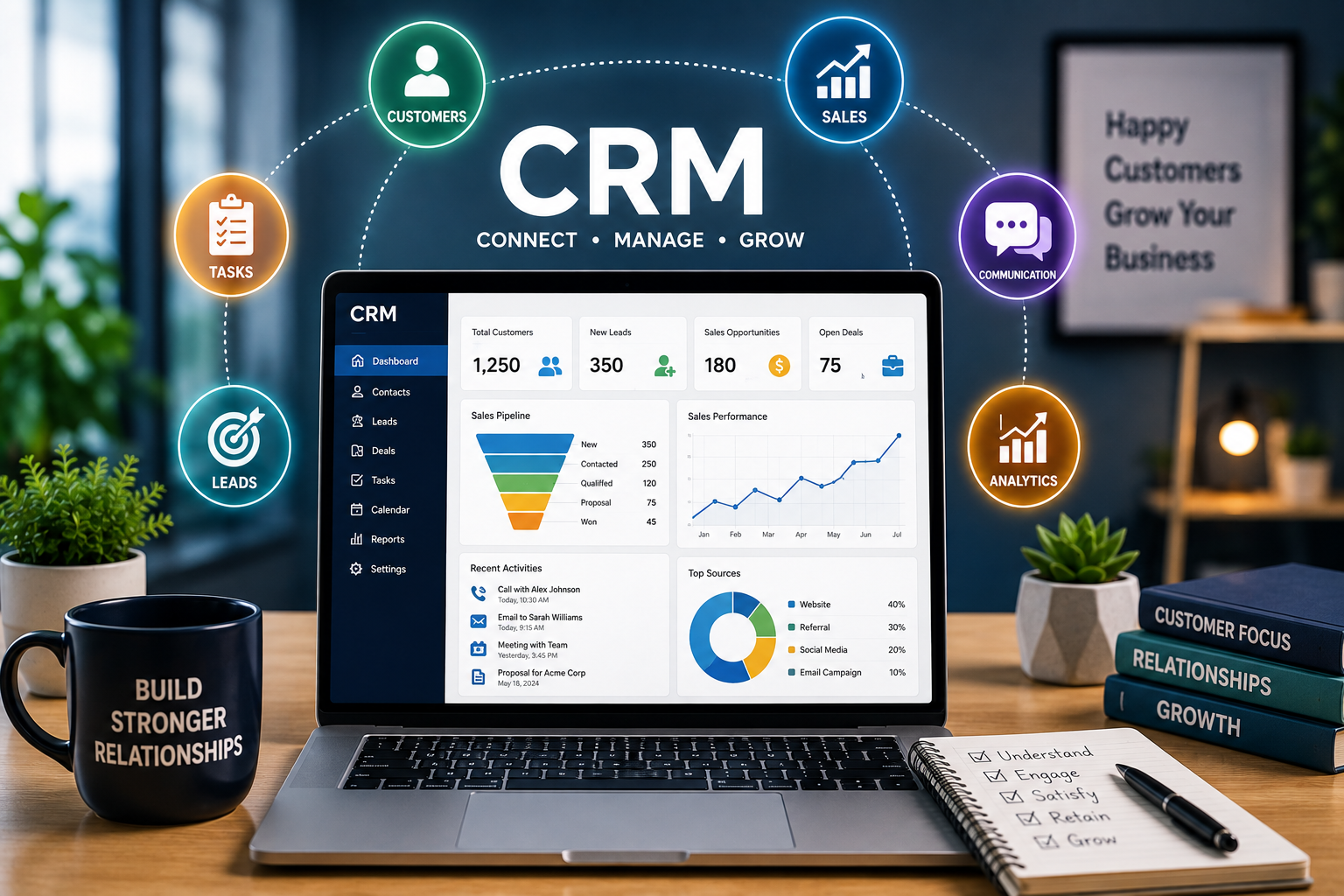

Building strong customer relationships is one of the most important parts of running a successful business. A company can have an excellent product, competitive prices, and effective marketing, but long-term success often depends on how well it understands and serves its customers.
This is where Customer Relationship Management (CRM) becomes valuable.
CRM is more than just software for storing customer names and phone numbers. Modern CRM systems help businesses organize customer information, track interactions, manage sales opportunities, automate repetitive tasks, and improve customer service.
Whether you operate a small business, work as a freelancer, or manage a growing company, understanding CRM can help you create a more organized and customer-focused operation.
What Is CRM?
CRM stands for Customer Relationship Management.
The term describes the strategies, processes, and technologies businesses use to manage relationships with current and potential customers.
A CRM system can store information such as customer names, contact details, previous interactions, purchases, inquiries, preferences, and sales activity.
Instead of keeping customer information across spreadsheets, notebooks, emails, and different applications, a CRM can bring much of this information together in one place.
This makes it easier for teams to understand what has happened with a customer and determine what needs to happen next.
Why Is CRM Important?
As a business grows, managing customer information manually becomes increasingly difficult.
Imagine a company with hundreds or thousands of customers. Sales employees may need to remember follow-up dates, customer service representatives may need access to previous conversations, and managers may want to understand how many leads are moving through the sales process.
Without an organized system, important information can easily be forgotten.
A CRM provides a central location for customer-related information and activities.
This can improve organization, communication, follow-up, and customer experience.
1. Keep Customer Information Organized
One of the simplest benefits of CRM software is better organization.
Instead of searching through multiple files or email conversations, employees can access customer information from a centralized system.
A customer profile might include:
- Contact information
- Previous purchases
- Sales conversations
- Support requests
- Follow-up dates
- Notes
- Communication history
Having this information readily available can make customer interactions more efficient.
2. Improve Lead Management
Not every person who contacts a business becomes a customer immediately.
Some prospects may need additional information, while others may require several conversations before making a purchasing decision.
CRM software can help businesses track leads throughout the sales process.
A sales team can identify which prospects are new, which ones have been contacted, and which opportunities are closer to conversion.
This reduces the possibility of promising leads being forgotten.
3. Make Sales Follow-Ups Easier
Following up at the right time can make a significant difference in sales.
However, salespeople may have dozens of conversations happening simultaneously.
CRM systems can help track follow-up dates and activities.
Instead of relying entirely on memory, sales representatives can use CRM reminders and task management features to stay organized.
Consistent follow-up can also create a more professional customer experience.
4. Automate Repetitive Tasks
Many business activities are repetitive.
Employees may need to send confirmation emails, update records, assign leads, create tasks, or generate routine reports.
CRM automation can reduce the amount of manual work required for certain processes.
For example, when a new lead enters a system, an automated workflow might assign it to the appropriate salesperson and create a follow-up task.
Automation allows employees to spend more time on activities that require human interaction and decision-making.
5. Improve Customer Service
Good customer service depends heavily on understanding the customer.
When a customer contacts a company about an issue, support employees may need to know what happened previously.
A CRM can provide access to relevant interaction history.
This means customers may not need to repeatedly explain their situation to different employees.
Better access to information can make support conversations faster and more consistent.
6. Understand Customer Behavior
CRM systems can help businesses identify patterns in customer activity.
Companies may be able to see which products customers purchase, how frequently they interact with the business, or where they are in the sales journey.
This information can help businesses make better decisions about marketing, sales, and customer service.
However, customer data should always be collected and used responsibly.
7. Improve Team Collaboration
Customer information is often relevant to multiple departments.
A salesperson may communicate with a customer before a purchase, while a customer service representative may interact with the same customer afterward.
A shared CRM can help different teams access relevant information.
This reduces information gaps and makes it easier for departments to coordinate their activities.
8. Measure Sales Performance
CRM platforms can provide reports and dashboards that help managers understand sales activity.
Businesses can track metrics such as:
- Number of leads
- Conversion rates
- Sales opportunities
- Revenue
- Follow-up activities
- Sales pipeline stages
These insights can help managers identify strengths and weaknesses in the sales process.
Instead of relying entirely on assumptions, businesses can make decisions based on organized data.
9. Personalize Customer Communication
Customers generally respond better when communication is relevant to their needs.
A CRM can help businesses understand previous interactions and preferences.
For example, a company may use customer history to recommend relevant products or provide more appropriate follow-up messages.
Personalization should be useful rather than excessive. Businesses should avoid making customers feel that their information is being used in an intrusive way.
10. Support Business Growth
CRM becomes increasingly useful as a company expands.
A small business may initially manage customers with a spreadsheet. But as the number of customers, employees, and interactions increases, a more structured system can become valuable.
CRM can provide processes that are easier to scale.
New employees can access customer records without needing to learn the entire history of every account manually.
Types of CRM Systems
CRM solutions can serve different business needs.
Operational CRM
Operational CRM focuses on everyday processes such as sales, marketing, and customer service.
It is designed to help businesses manage customer interactions and automate routine activities.
Analytical CRM
Analytical CRM focuses on customer data and insights.
Businesses can use it to identify patterns, measure performance, and better understand customer behavior.
Collaborative CRM
Collaborative CRM helps teams share customer information and coordinate interactions.
This can be particularly useful for companies where sales, marketing, and customer service teams need to work together.
How to Choose a CRM
Choosing a CRM should begin with your business requirements.
Consider the size of your team, number of customers, sales process, existing software, and budget.
Ask questions such as:
Is the system easy to use?
Does it integrate with our existing tools?
Can it grow with the business?
Does it provide useful reporting?
What automation features are available?
How does it protect customer information?
A CRM with dozens of features is not necessarily better than a simpler system. The best solution is one your team will actually use consistently.
Common CRM Mistakes
CRM implementation can fail when businesses focus too heavily on software and not enough on processes.
One common mistake is entering poor-quality data.
If customer information is incomplete or outdated, reports and workflows may become unreliable.
Another problem is choosing a complicated system that employees find difficult to use.
Training is also important. Employees need to understand not only how the CRM works but why accurate data and consistent usage matter.
CRM and the Future of Customer Relationships
CRM technology continues to evolve.
Artificial intelligence, automation, predictive analytics, and advanced personalization are increasingly becoming part of modern CRM platforms.
AI can potentially help sales teams identify promising leads, summarize customer conversations, generate communication drafts, and identify patterns in customer data.
However, businesses still need human judgment.
Customer relationships involve trust, empathy, communication, and understanding—qualities that cannot be reduced entirely to software.
Final Thoughts
CRM can help businesses move from scattered customer information to a more organized approach to relationship management.
By centralizing customer data, tracking leads, improving follow-ups, supporting customer service, automating repetitive work, and providing useful insights, CRM can make business operations more efficient.
But CRM is not simply a piece of software. It is a business strategy built around understanding customers and improving their experience.
Start by identifying the customer-related tasks that create the most problems in your business. Then choose a CRM that addresses those needs without adding unnecessary complexity.
When technology, reliable data, and human relationships work together, CRM can become a powerful foundation for sustainable business growth.