
Introduction
Software has become an essential part of modern life, influencing how people communicate, work, learn, shop, travel, and manage their daily activities. From mobile applications and business management platforms to artificial intelligence tools and cloud-based systems, software powers many of the technologies people depend on every day. As digital transformation continues across industries, software is becoming more intelligent, accessible, and adaptable to different needs.
In the past, software was primarily associated with desktop computers and specialized business applications. Today, it operates across smartphones, smart devices, connected vehicles, industrial equipment, and online platforms. Businesses use software to automate repetitive tasks, analyze information, improve customer experiences, and develop new products. Individuals rely on it for entertainment, education, financial management, productivity, and personal communication.
The software industry is also evolving rapidly. Artificial intelligence, cloud computing, low-code development, cybersecurity, and automation are changing how software is designed, developed, deployed, and maintained. Understanding these developments can help individuals and businesses make informed technology decisions.
This article explores the different types of software, emerging software technologies, their benefits, the challenges associated with their use, and the trends likely to influence the industry’s future.
What Is Software?
Software is a collection of programs, instructions, and related data that tells a computer or electronic device how to perform particular tasks. Unlike hardware, which refers to the physical components of a device, software consists of the digital instructions that control those components and enable useful functionality.
For example, a computer may contain a processor, memory, storage, and a display. However, an operating system is needed to manage these resources, while applications allow users to perform activities such as writing documents, editing photographs, browsing websites, or analyzing data.
Software can be simple or highly complex. A basic calculator application performs mathematical operations, while enterprise software may coordinate financial transactions, employee records, inventory, customer relationships, and business reporting across multiple locations.
Modern software is frequently connected to online services, allowing applications to synchronize information, receive updates, and communicate with other platforms. This connectivity has made software more flexible and powerful than many traditional standalone programs.
Major Types of Software
Software is available in many forms, with each category designed to fulfill specific requirements.
1. System Software
System software manages computer hardware and provides the foundation on which other programs operate. It enables applications to interact with the device’s resources while coordinating essential functions.
Operating systems are among the most recognizable examples. Windows, macOS, Linux, Android, and iOS help manage memory, storage, files, applications, and device permissions.
System software also includes device drivers, system utilities, and other components that support the reliable operation of computers and electronic devices.
Without system software, most users would find computers significantly more difficult to operate because they would need to interact directly with hardware instead of using familiar interfaces.
2. Application Software
Application software helps users accomplish specific tasks. It includes programs designed for personal use, education, entertainment, communication, and professional activities.
Common examples include word processors, spreadsheets, presentation tools, image editors, web browsers, accounting applications, and project management platforms.
Businesses depend on application software for managing customers, processing payments, organizing employee information, tracking sales, and coordinating projects.
Many modern applications are available through web browsers, reducing the need to install programs on individual devices. Others operate as mobile applications or traditional desktop software.
The growing variety of applications allows users to select tools that match their preferences, budgets, and working environments.
3. Business and Enterprise Software
Enterprise software helps organizations manage large-scale operations involving multiple departments, employees, customers, and locations.
Enterprise resource planning systems coordinate functions such as accounting, procurement, inventory, production, and human resources. Customer relationship management platforms help sales and marketing teams organize customer information, monitor interactions, and manage opportunities.
Other business applications support payroll processing, supply chain management, document approval, project tracking, and regulatory reporting.
Integrating these systems can reduce information gaps between departments. For example, connecting inventory software with an online store can help ensure that product availability remains consistent across sales channels.
However, successful implementation requires careful planning, appropriate training, reliable data, and ongoing technical support.
4. Cloud-Based Software
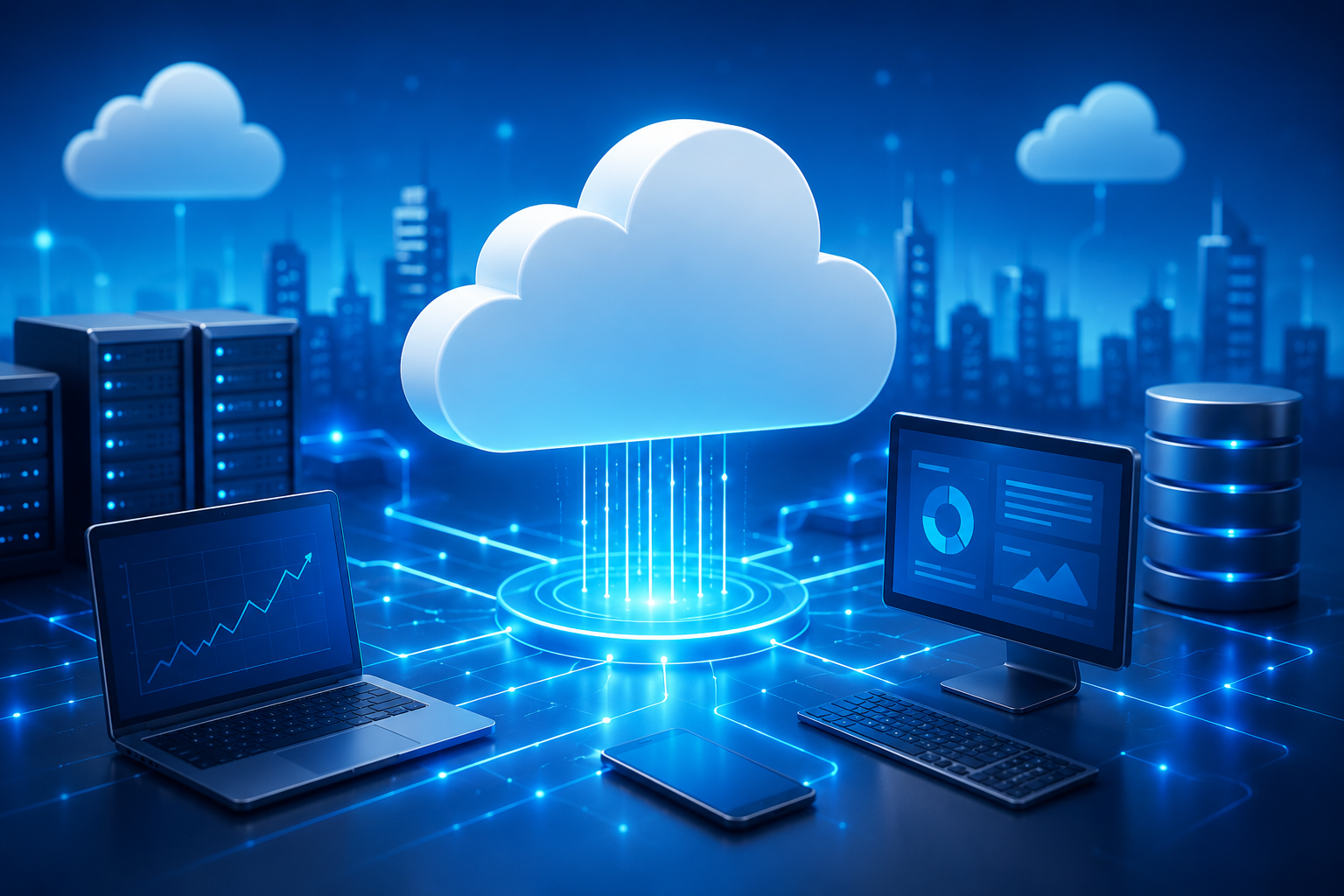
Cloud-based software runs partly or primarily on remote computing infrastructure accessed through the internet. Users can often reach these applications from different devices without installing the entire system locally.
Software as a Service, commonly called SaaS, is an important example of this model. Customers generally access the software through a subscription or usage-based arrangement.
Cloud-based tools are widely used for file storage, email, team communication, accounting, customer management, and collaborative document editing.
One major advantage is accessibility. Employees can work with shared information from different locations, provided they have suitable access and connectivity.
Cloud services can also simplify software updates and infrastructure management. Nevertheless, organizations must consider subscription expenses, data protection, service availability, vendor dependence, and internet requirements.
5. Development Software
Development software provides the tools needed to create, test, maintain, and distribute other software.
Examples include code editors, integrated development environments, compilers, debuggers, testing frameworks, version control systems, and deployment tools.
Developers use these technologies to transform requirements into functioning applications. They can write source code, identify errors, review changes, test performance, and coordinate work with other team members.
Modern development environments increasingly incorporate automated testing, cloud-based collaboration, and AI-assisted coding features.
These capabilities can accelerate certain tasks, but developers still need to understand programming concepts, system architecture, security, and software quality.
How Artificial Intelligence Is Changing Software
Artificial intelligence is becoming an important component of modern software development and everyday applications. AI-powered features can analyze information, recognize patterns, generate content, summarize documents, and assist with decision-making.
In business applications, AI can help employees identify trends in customer behavior, classify incoming support requests, detect unusual transactions, and prepare reports from large datasets.
Development tools can also use AI to suggest code, explain unfamiliar functions, generate test cases, and identify possible defects. These features may improve productivity, particularly when developers use them to handle repetitive work.
AI is also influencing how users interact with software. Traditional applications often require users to navigate menus, configure filters, and enter information manually. Intelligent interfaces increasingly allow people to express certain requests in natural language.
For example, an employee might ask an analytics application to summarize quarterly sales performance or identify products with declining demand. The application could then generate a preliminary analysis based on available information.
However, AI-generated results are not automatically accurate. They may contain errors, reflect incomplete information, or overlook important context. Businesses should establish appropriate review procedures before relying on AI for consequential decisions.
Privacy, intellectual property, transparency, and security must also be considered when incorporating AI into software products.
The Role of Software in Business Productivity
Software has transformed how organizations plan activities, communicate with employees, manage information, and deliver services.
Automating Repetitive Tasks
Many administrative activities follow predictable rules. Software can automate processes such as invoice generation, appointment reminders, employee attendance tracking, data entry, and routine notifications.
Automation can reduce manual effort and help employees focus on tasks requiring judgment, creativity, and interpersonal communication.
However, automation works best when the underlying process is well designed. Automating an inefficient workflow may simply make its problems occur faster.
Improving Collaboration
Collaboration software allows employees to communicate through messaging, video meetings, shared documents, and project management boards.
These tools are especially valuable for organizations with remote teams, multiple offices, or external partners.
Shared workspaces can help team members track responsibilities, monitor progress, and maintain access to current project information.
Organizations should establish clear communication practices to prevent excessive notifications, duplicated work, and confusion about responsibilities.
Supporting Better Decisions
Business intelligence and analytics software help organizations convert operational data into useful insights.
Managers can examine sales figures, customer retention, inventory levels, marketing performance, and financial results through reports and dashboards.
When information is accurate and presented clearly, decision-makers can identify emerging problems and evaluate potential opportunities more effectively.
Software does not guarantee good decisions, however. The quality of the conclusions depends on the reliability of the data, the suitability of the analytical methods, and the experience of the people interpreting the results.
Emerging Software Trends to Watch
The software industry continues to evolve as new technologies, customer expectations, and business requirements influence product development.
1. Low-Code and No-Code Development
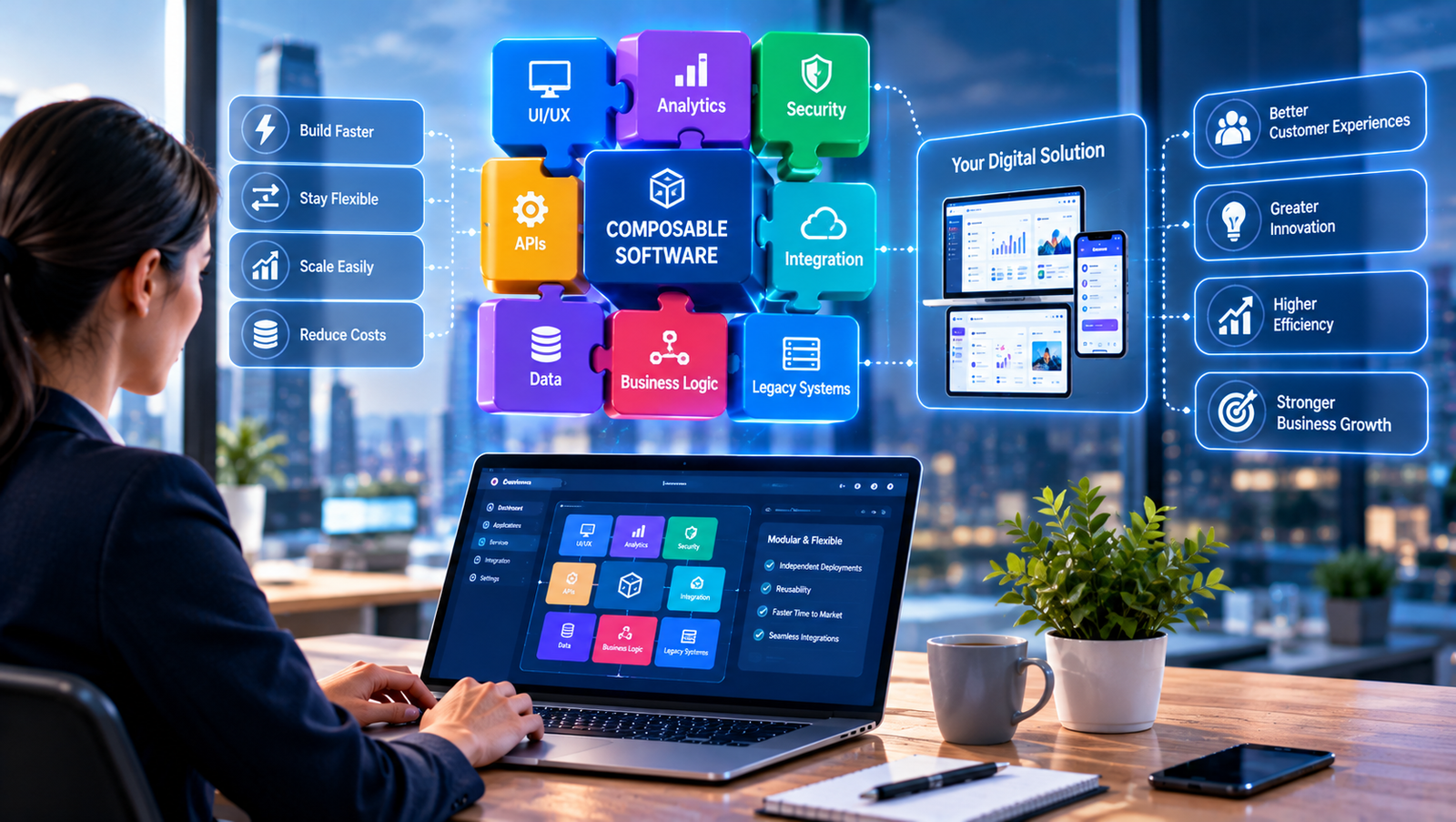
Low-code and no-code platforms allow users to build certain applications through visual interfaces, reusable components, templates, and workflow designers.
Low-code platforms generally provide opportunities for customization through some programming, while no-code platforms aim to minimize or eliminate traditional coding for supported tasks.
Businesses can use these platforms to develop internal dashboards, simple customer portals, approval workflows, and data collection tools.
They can help organizations experiment with ideas without requiring every project to begin with extensive custom development.
Nevertheless, these platforms are not suitable for every application. Complex integrations, strict security requirements, unusual business logic, and large-scale performance demands may require traditional software engineering.
2. Software Built Around APIs
Application programming interfaces, or APIs, allow different software systems to exchange information and request services from one another.
For example, an online store might connect to a payment provider, shipping service, inventory system, and customer support platform through APIs.
This approach allows businesses to combine specialized tools instead of building every capability independently.
API-driven development can improve flexibility and shorten development time, but integrations must be maintained carefully. Changes to external services, access restrictions, and unexpected outages can affect connected applications.
3. Edge Computing Software
Edge computing processes some information closer to the device or location where it is generated rather than sending everything to a distant cloud server.
This approach can be useful for industrial sensors, connected vehicles, smart cameras, manufacturing equipment, and other applications requiring rapid responses.
For instance, industrial monitoring software may analyze sensor readings locally to identify a potential equipment problem before it causes a production interruption.
Edge computing can reduce communication delays and unnecessary data transfers. However, distributed devices introduce additional challenges involving updates, security, monitoring, and maintenance.
4. Cybersecurity-Focused Development
Security is increasingly recognized as a fundamental software requirement rather than a feature that can be added at the end.
Secure development practices include reviewing code, managing access permissions, protecting sensitive information, testing dependencies, and addressing vulnerabilities throughout the software lifecycle.
Organizations are also paying greater attention to software supply chains because applications frequently depend on external libraries, frameworks, and services.
A vulnerability in one component can affect many systems that rely on it.
Developers therefore need processes for identifying dependencies, applying updates, monitoring threats, and responding to security incidents.
5. Platform Engineering and Developer Experience
As software systems become more complex, organizations are investing in tools and internal platforms that help developers build and deploy applications consistently.
Platform engineering can provide standardized environments, reusable infrastructure, deployment templates, monitoring tools, and security controls.
The objective is to reduce unnecessary complexity so development teams can concentrate on delivering useful features.
Well-designed internal platforms may improve productivity and consistency. Poorly designed ones, however, can create additional processes that slow teams down.
6. Sustainable Software Engineering
Software affects energy consumption through the computing infrastructure, networks, and devices required to operate it.
Sustainable software engineering seeks to improve efficiency by reducing unnecessary processing, optimizing storage, using computing resources responsibly, and extending the useful life of systems.
For example, developers can reduce excessive database queries, compress unnecessary data transfers, and avoid running background processes that provide little value.
Efficient software can sometimes lower infrastructure expenses while improving responsiveness.
The best approach depends on the application’s purpose, workload, performance requirements, and environmental constraints.
Benefits of Using Modern Software
Modern software offers several advantages for individuals, professionals, and organizations.
Higher productivity: Digital tools can simplify repetitive activities, accelerate calculations, organize information, and help teams complete work more efficiently.
Better accessibility: Web and cloud applications can make information available across locations and devices, subject to account permissions and connectivity.
Improved accuracy: Appropriate validation rules and automated calculations can reduce certain types of manual errors.
Scalability: Many modern systems can expand to support additional users, transactions, and workloads as requirements change.
Enhanced customer experiences: Businesses can use software to provide online ordering, faster support, personalized communication, and convenient self-service options.
Stronger collaboration: Shared documents, messaging platforms, and project management tools help teams coordinate their activities.
Data-driven insights: Analytics applications can reveal patterns that may be difficult to identify through manual examination alone.
Innovation opportunities: Software enables businesses to experiment with new services, digital products, and operating models.
These benefits are not automatic. They depend on selecting suitable tools, implementing them effectively, maintaining reliable information, and ensuring that users understand how to work with the technology.
Common Challenges in Software Adoption
Despite its advantages, software can create problems when organizations fail to evaluate their requirements or manage implementation carefully.
Security and Privacy Risks
Applications may store personal information, financial records, confidential business documents, and customer details.
Weak passwords, excessive permissions, insecure integrations, outdated components, and configuration mistakes can expose this information.
Organizations should implement access controls, multifactor authentication where appropriate, encryption, regular updates, backups, and incident response procedures.
Users should also understand how applications collect, process, retain, and share their information.
Compatibility Problems
Different software products may not work together seamlessly. Older systems can use outdated data formats, unsupported interfaces, or technologies that newer applications no longer accommodate.
Before adopting a new tool, organizations should evaluate its compatibility with existing systems and identify any required migration or integration work.
Testing in a controlled environment can reduce the risk of disrupting essential operations.
Rising Costs
Although some applications offer free plans, business software may involve subscription fees, implementation expenses, training costs, storage charges, integration work, and ongoing maintenance.
A low initial price does not necessarily mean that a product is inexpensive over its lifetime.
Organizations should compare total ownership costs, including the resources needed to operate and eventually replace the system.
Learning and Training Requirements
New software may introduce unfamiliar workflows that employees need time to understand.
Without appropriate training, users may avoid important features, make preventable mistakes, or continue using inefficient manual processes.
Organizations should provide practical guidance, accessible documentation, and support during the transition.
Dependence on Vendors
Some applications make it difficult to transfer information or switch providers. Proprietary formats, specialized integrations, and contractual restrictions can increase the cost of changing systems.
Before committing to a platform, businesses should examine data export options, service agreements, backup arrangements, and migration possibilities.
How to Choose the Right Software
Selecting suitable software requires more than comparing popularity or advertised features. A structured evaluation helps ensure that the selected product supports actual requirements.
1. Identify the problem: Define the task or business challenge the software should address. Clear requirements make it easier to compare potential solutions.
2. Establish a budget: Consider subscriptions, implementation, training, maintenance, integrations, and future expansion.
3. Compare essential features: Separate must-have capabilities from optional features that may not provide sufficient value.
4. Evaluate usability: Test whether intended users can navigate the interface and complete important tasks without unnecessary difficulty.
5. Review security: Examine access controls, data protection practices, authentication options, update policies, and relevant compliance requirements.
6. Check integration capabilities: Determine whether the application can exchange information with existing systems through supported APIs or other reliable methods.
7. Test before purchasing: Use a trial, demonstration, or pilot project to evaluate real-world performance.
8. Examine support and documentation: Confirm that help resources, technical support, and maintenance arrangements meet your needs.
9. Understand licensing: Review user limits, usage restrictions, renewal conditions, cancellation terms, and data ownership provisions.
10. Plan for future needs: Choose software that can accommodate reasonable changes in workload, functionality, and organizational requirements.
A careful selection process reduces the risk of investing in software that looks attractive but fails to solve the intended problem.
The Future of Software Development
Software development is likely to become increasingly automated, collaborative, and focused on user needs.
AI-assisted development tools may help programmers generate preliminary code, understand unfamiliar systems, create tests, and identify potential defects. This could reduce the time required for some development activities, although complex engineering work will continue to require human judgment and verification.
Cloud platforms are likely to remain important for deploying applications, managing data, and scaling computing resources. Meanwhile, edge computing will support use cases where local processing, limited connectivity, or rapid responses are important.
Security will continue to influence software architecture and development practices. Organizations will need to account for evolving threats, third-party dependencies, privacy expectations, and changing regulatory requirements.
Accessibility is another important consideration. Developers can design interfaces that accommodate different abilities, devices, languages, and usage environments, making digital services available to a broader range of people.
Interoperability will also matter as organizations use growing numbers of specialized applications. Software that exchanges information reliably can reduce duplicated work and make digital operations easier to manage.
Ultimately, successful software will not simply be defined by the number of features it offers. Reliability, usability, security, maintainability, and the ability to solve meaningful problems will remain essential measures of quality.
Conclusion
Software has evolved from a tool for performing basic computer operations into a foundation for modern communication, commerce, education, healthcare, manufacturing, and entertainment. System software, business applications, cloud platforms, and development tools each serve different purposes, but together they enable many of the digital experiences people use every day.
Emerging technologies such as artificial intelligence, low-code development, edge computing, API-driven integration, and automated security testing are creating new possibilities for software developers and users.
However, technological progress also introduces challenges involving privacy, cybersecurity, cost, compatibility, and user training. Organizations must evaluate these concerns carefully to obtain meaningful value from their software investments.
For individuals, understanding different software categories can make it easier to choose useful tools and develop valuable digital skills. For businesses, a thoughtful software strategy can improve productivity, strengthen customer relationships, and support innovation.
The future of software will depend not only on increasingly advanced technology but also on how effectively people use it to solve real problems. Organizations and individuals that prioritize practical value, security, adaptability, and continuous learning will be better positioned to benefit from the next generation of digital tools.